- Details
- Written by Super User
- Category: Media Sosial
- Hits: 32186

ADMINISTRASI PEMBELAJARAN



Salam Mengajar untuk Negeri
Assalamualaikum wr wb...
Silakan diunduh, dari kemdikbud.go.id ; RPP semua model: daring, luring, kombinasi:
Link RPP 1 Lembar SMA- Gratis Revisi 2020.
Klik Logo/Banner RPP Kuning berikut:

INTAN PARIWARA BERBAGI RPP SEMUA MATA PELAJARAN
Semester Ganjil
https://drive.google.com/drive/folders/0B1REEOrrJZWcOUMxZFZmNjlZMXc
Semester Genap
https://drive.google.com/drive/folders/0B1REEOrrJZWcOUMxZFZmNjlZMXc
Periksa juga:
1. RPP PPKn SMA/SMK
2. RPP Bahasa Indonesia SMA/SMK
3. RPP Sejarah Indonesia SMA/SMK
4. RPP Bahasa inggris SMA/SMK
5. RPP Bahasa Jerman SMA/SMK
6. RPP Matematika Wajib SMA/SMK
7. RPP Matematika Peminatan SMA/SMK
8. RPP Fisika SMA/SMK
9. RPP Kimia SMA/SMK
10. RPP Biologi SMA/SMK
11. RPP Ekonomi SMA/SMK
12. RPP Geografi SMA/SMK
13. RPP Sosiologi SMA/SMK
14. RPP PJOK SMA/SMK
15. RPP PAI-BP SMA/SMK
16. RPP Sejarah Peminatan SMA/SMK
>>>>>>>>><<<<<<<<
Bahan Ajar Berbasis IT
Klik gambar ini

Bahan ajar berbasis IT ini berisi file-file swf (flash) dari sejumlah mata pelajaran, untuk dapat menjalankannya maka perlu diinstal pada PC/laptop aplikasi adobe flash player atau macro media flash. Disarankan cukup instal adobe flash player saja (silahkan klik, unduk mengunduh).

Info Perpus
Assalamu'alaikum w.w.
Selamat pagi Bapak dan Ibu guru
Selain buku paket fisik, perpus juga menyiapkan
ebook kurikulum 2013 dari kementerian pendidikan edisi revisi terbaru. Berikut link akses google drive :
- Ebook Guru kelas XII
https://drive.google.com/drive/folders/1wCSKfkOWHd9c2GDFwDmw8vlKypeAJ2nv?usp=sharing
- Ebook Siswa kelas XII
https://drive.google.com/drive/folders/1B_khhgv-q614Sp3xbZc1Bk3F9sPo1IhF?usp=sharing
- Ebook Guru kelas XI
https://drive.google.com/drive/folders/11L7Lt9-b0RAfCxca27wJkXmlRSd48ipG?usp=sharing
- Ebook Siswa kelas XI
https://drive.google.com/drive/folders/1KQ10ZucGUpG7XRgqVKUR2c1IW51gpyRK?usp=sharing
- Ebook Guru kelas X
https://drive.google.com/drive/folders/18kk1QV2oGmpaU2Mefi-8YqLsqD0tplxr?usp=sharing
- Ebook Siswa kelas X
https://drive.google.com/drive/folders/1YtW4Mv_fx--sv7SXmcqvnNWjEA57ibPz?usp=sharing
Sekian dan terima kasih 🙏
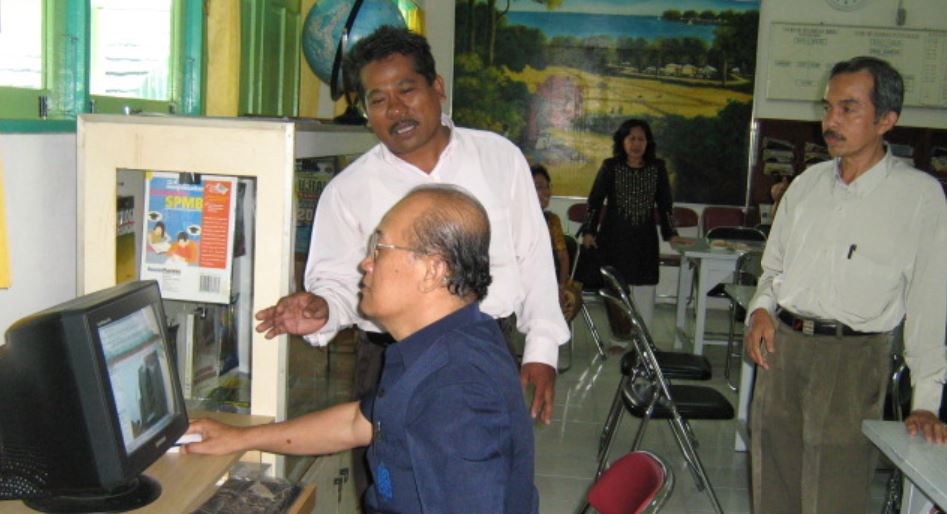
Klik Banner ini
- Details
- Written by Super User
- Category: Media Sosial
- Hits: 25821
Why Expert Casino Reviews Matter in New Zealand
With dozens of online casinos accepting players from New Zealand, it can be difficult to separate trustworthy operators from those with questionable practices. That's where expert casino reviews become essential. These professional assessments dig deeper than promotional banners and flashy bonus ads — they examine licensing credentials, payout speed, software quality, customer service, and responsible gambling policies.
For Kiwi players looking to make informed choices, reading independent expert reviews offers clarity and peace of mind. Unlike user reviews, which may reflect personal bias or isolated experiences, expert reviews are structured, consistent, and based on clear criteria. Most importantly, they help players avoid rogue sites and instead steer toward platforms that offer verified security, fair play, and real payout potential.
One example of a well-reviewed platform is Zodiac Casino New Zealand, which consistently ranks well for its game selection, licensing transparency, and long-term reputation with NZ players.
Key Elements of a Reliable Expert Review
When evaluating whether a casino site is worth your time and money, an expert review should cover several critical components:
- Licensing & Regulation: A proper review always verifies the site's licensing details. Trusted NZ-friendly casinos are often licensed by authorities such as the Malta Gaming Authority (MGA), Kahnawake, or Alderney.
- Game Selection & Providers: Top-tier reviews break down which software providers are featured (e.g. Microgaming, NetEnt, Evolution) and evaluate the quality and variety of pokies, table games, and live dealer options.
- Payment Methods & Limits: NZ players need fast and flexible banking. Expert reviews examine whether the casino supports NZD, what the deposit/withdrawal limits are, and how long cashouts typically take.
- Bonus Terms & Wagering: The quality of a bonus isn’t just about size — it’s about terms. Experts analyse the fine print: wagering requirements, max win caps, eligible games, and time limits.
- Security & Fairness: SSL encryption, RNG testing, and partnerships with independent audit bodies like eCOGRA are must-haves in any reputable NZ online casino.
These categories form the foundation of a reliable review process and help Kiwi players make data-backed decisions, not just follow hype.
Where to Find Trustworthy NZ Casino Reviews
Unfortunately, not all review sites are created equal. Some platforms push biased content due to paid promotions or affiliate priorities. To find truly independent reviews, look for platforms that:
- Disclose affiliate relationships transparently
- Offer both pros and cons, not just praise
- Include real test data such as payment time screenshots or support interactions
- Regularly update reviews to reflect changes in casino policies or offers
Respected expert-led sites also cross-reference user feedback with their own testing. This helps highlight real issues — like withdrawal friction, game crashes, or bonus confusion — that aren’t visible on the surface. Reviews should never be copy-pasted templates. Each operator deserves a case-by-case evaluation based on verified testing under NZ conditions.
Conclusion: Let Experts Guide Your NZ Casino Choices
Whether you're new to online gaming or already experienced in the NZ iGaming scene, expert reviews remain a vital tool in choosing where to play. A well-researched review removes the guesswork and empowers players to avoid risky sites, maximise bonuses, and enjoy transparent play.
For players looking to start safely, platforms like Zodiac Casino New Zealand are often highlighted in reviews for their long-standing reputation, prompt withdrawals, and commitment to fair gaming. Always verify the review source, and use expert insights as a compass — not just for bonuses, but for overall peace of mind.
- Details
- Written by Super User
- Category: Media Sosial
- Hits: 29112
REGISTRASI WEBSITE SEKOLAH
Untuk tertib administrasi pemakaian website sekolah, maka mohon Bapak/Ibu Guru melakukan registrasi di web ini silakan klik REGISTER
Informasi Terbaru Per 17 Mei 2020
Penggunaan sman1martapura.pijarsekolah.id
A. Admin
- Mengatur/mendaftarkan mata pelajaran
- Mengisi jenis ujian
- Mengatur hak akses guru:
- Sebagai guru atau admin
- Mengajar mata pelajaran apa saja dan di kelas berapa saja
B. Guru
- Dengan username: email (masing-masing) dan password: “******” (sudah disepakati), dapat menelusur materi-materi belajar pada pijarsekolah.id (Hal yang sama bagi siswa-siswa kita, login memakai “nisn” baik untuk username maupun password).
- Menginstal Aplikasi Ujian, petunjuk dan master aplikasi (caranya silahkan klik petunjuk atau video)
- Mempelajari cara pembuatan soal, lihat dibagian "Bagaimana cara Guru dan Admin mengunggah soal tugas/ujian untuk siswa?" pada klik petunjuk atau video.
C. Siswa
- Dapat menulusuri materi-materi belajar pada pijarsekolah.id dengan login menggunakan “nisn” baik untuk username maupun password.
- Menunggu pengumuman, penugasan, atau ujian yang diberikan guru.
Kontak:
Pak Syaiful, Zainal dan Hatta
Terima kasih.
Assalamualaikum Wr. Wb.
Alhamdulillah sekolah kita telah mendapat fasilitas portal Rumah Belajar (daring) dari PT. Telkom. Secara bertahap Tim menyiapkan, mengelola dan mengembangkan portal ini untuk menunjang layanan pendidikan SMA Negeri 1 Martapura.
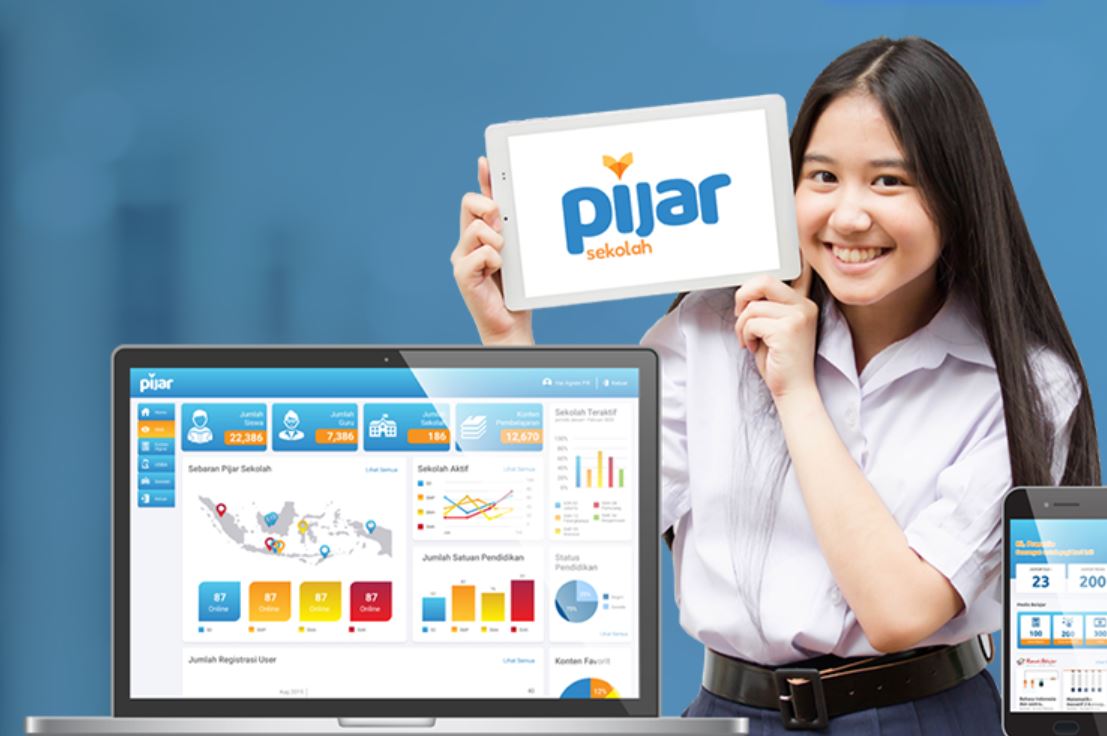
Link Akses: sman1martapura.pijarsekolah.id
Ada sejumlah tahapan utama yang harus dilakukan untuk fase persiapan ini:
1. Pendaftaran para siswa
2. Pendaftaran para guru
Insyaallah para guru nanti difasilitasi dapat login ke situs ini dengan menggunakan email dan tanggal lahir (ddmmyy).
3. Pendaftaran ruang belajar/kelas
Layanan yang diberikan:
1. Rumah Belajar: Buku Digital, Buku Interaktif, dan Video
2. Laboratorium Maya
3. Absensi, Kalender Pendidikan
4. Pengumuman
5. Konten terbaru
Mohon doa Bapak Ibu guru, para siswa dan semua warga sekolah. Semoga berjalan lancar.
Video Pendukung:
Aplikasi Ujian Pijar Sekolah |
PANDUAN PENGGUNAAN APLIKASI PIJAR SEKOLAH AKUN GURU AKSES ADMIN |
Pembuatan Tugas, Penjadwalan, Pelaksanaan & Penilaian |
| https://www.youtube.com/watch?v=akiBej-RRFQ | https://www.youtube.com/watch?v=vIoaWaH9kw4 |
Info Penting:
Apa itu PijarSekolah
- Details
- Written by Super User
- Category: Media Sosial
- Hits: 32954
G Suite for Education
Ubah cara pengajar dan siswa
untuk belajar, berinovasi, dan bekerja sama
dengan solusi gratis yang aman dari G Suite for Education.
Akun Pembelajaran
Akun Pembelajaran merupakan akun elektronik yang memuat nama akun (user ID) dan akses masuk akun (password) yang diterbitkan oleh Kementerian Pendidikan dan Kebudayaan dan dapat digunakan oleh peserta didik, pendidik, dan tenaga kependidikan sebagai akun untuk mengakses layanan/aplikasi pembelajaran berbasis elektronik.
Cara Aktivasi Akun "belajar.id"
Para siswa maupun guru, juga admin mendapatkan akun sementara "belajar.id" dari operator sekolah. Untuk para siswa dibagikan oleh wali kelas masing-masing. Silakan kalian lakukan aktivasi akunnya (guru, tendik, admin, dan siswa sama caranya), petunjuk klik Cara aktivasi akun belajar.id
Para guru juga menggunakan akun "belajar.id". Bapak dan ibu guru akan membuat googleclassroom baru berbasis akun "belajar.id" (GSuite), kode kelas akan diinfokan kepada para siswa, selanjutnya siswa juga dengan akun "belajar.id" (GSuite, bukan akan google biasa/This email address is being protected from spambots. You need JavaScript enabled to view it.) bergabung/join dengan kelas terkait. Jika menggunakan akun biasa (This email address is being protected from spambots. You need JavaScript enabled to view it.) maka akan ditolak sistem. Demikian agar dapat dimaklumi bersama.
Mengapa Memakai Akun Pembelajaran?

Materi dan informasi dari Kemendikbud, akan dikirimkan ke alamat pos elektronik Akun Pembelajaran

Akun Pembelajaran akan menjadi salah satu jalur komunikasi resmi Kemendikbud ke peserta didik, pendidik, dan tenaga kependidikan

Akun Pembelajaran akan digunakan untuk mengakses aplikasi-aplikasi resmi Kemendikbud

Akun Pembelajaran yang sudah siap pakai dan sesuai struktur satuan pendidikan masing-masing pengguna
Akses belajar.id
Cara Mengakses Aplikasi Pembelajaran dengan Akun belajar.id
- Buka laman login Aplikasi Pembelajaran yang ingin Anda gunakan
- Pilih opsi sign in dengan Google di laman login tersebut
- Masukkan akun belajar.id dan kata sandi Anda
- Aplikasi Pembelajaran sudah siap digunakan
- Buka mail.google.com
- Buat akun lain (baru), "add another account"
- Gunakan data username dan password yang telah dibagikan, harap gunakan milik masing-masing.
- Salin username (nama This email address is being protected from spambots. You need JavaScript enabled to view it.) dan tempelkan di bagian username.
- Demikian juga dengan passwornya, ****, klik "Berikutnya"
- Silahkan ikuti langkah selanjutnya, terutama mengganti password, usahakan password disamakan dengan yang telah ada pada akun gmail agar mudah mengingat.
- Langkah selesai, silahkan menikmati akun baru, G Suite, yang insyaAllah lebih khusus untuk pendidikan kita dan terintegrasi dengan ruang belajar, "Belajar.id".
- Semoga semua guru dan siswa, insyaAllah dapat memanfaatkan layanan ini.
- tutorial: KLIK DI SINI
Semoga berhasil
Google Group
Anda telah punya:
This email address is being protected from spambots. You need JavaScript enabled to view it.
(punya ya! Silahkan login)
supaya dapat paket berikut:
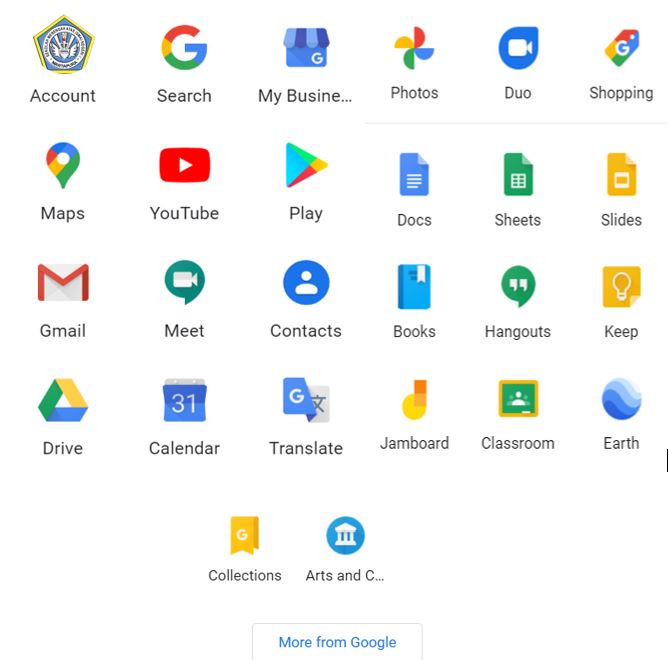
Mengelola Google Class dan Form
Bagi rekan-rekan yang membutuhkan keterangan mengenai pengelolaan google classroom, google form, dan lainnya kiranya dapat mengakses link-link berikut:
1. Google Classroom: Part 1 Part 2 Part 3 Part 4 Part 5
2. Google Form:
3. Google Hangout meet:
4. Zoom Meeting: Meeting Online (tele conference)
5. Google Meeting: Group dari Instansi
Assalamu Alaikum Wr. Wb. Beberapa VIDEO TUTORIAL PEMBELAJARAN yang dapat dimanfaatkan untuk menghadapi TAHUN AJARAN BARU ditengah Pandemi Copid 19.
PEMBELAJARAN ONLINE dengan WHATSAPP : https://youtu.be/ay4tyLXtJW8
- CARA MEMBUAT SOAL UJIAN DENGAN WHATSAPP AUTO RESPON: https://youtu.be/cJEaRA52_Ig
- Tutorial GOOGLE FORM/FORMULIR untuk Ujian Online. https://www.youtube.com/watch?v=QZLtI6GdaIU
- Tutorial GOOGLE MEET untuk Pembelajaran Online. https://www.youtube.com/watch?v=p9cFW4gDhDA
- Tutorial ZOOM MEETING untuk Pembelajaran Online. https://www.youtube.com/watch?v=WwdIfE_bXPU
- MENYIMPAN/MENGUBAH File POWER POINT Menjadi VIDEO dalam 1 MENIT tanpa APLIKASI: https://youtu.be/BwyQBhGBPNw
- Tutorial CAMTASIA STUDIO untuk Pembuatan VIDEO PEMBELAJARAN: https://youtu.be/Y5gvfDRJqik
- Cara MENGETIK dengan SUARA/VOICE pada Google DOCS/DOKUMEN/WORD: https://youtu.be/Se-IsbpUxms
- Tutorial GOOGLE CLASSROOM LENGKAP(Membuat Kelas,Materi,Tugas,Quiz dan Ujian Online,Mendaftarkan Siswa& Guru dan Pengumuman) https://www.youtube.com/watch?v=OJDYE4cyS1g
- Membuat Kelas baru untuk Google Classroom : https://www.youtube.com/watch?v=DzglERVmUsM
- Mendaftarkan siswa pada Google Classroom: https://www.youtube.com/watch?v=5AugfF9l4Zg
- Membuat Materi pada Google Classroom: https://www.youtube.com/watch?v=jEOT_FLDPdo
- Membuat soal ujian/quiz pada Google Classroom : https://www.youtube.com/watch?v=MS5wFtSPZKg
- Membuat pengumuman kelas pada Google Classroom : https://www.youtube.com/watch?v=rQQwj5pZCaY
SILAHKAN DISHARE KEPADA TEMAN2 PENDIDIK YANG MEMBUTUHKAN
SEMOGA BERMANFAAT UNTUK KITA SEMUA.
SALAM....... "INDONESIA MERDEKA BELAJAR".
Video tutorial berkaitan dengan materi pembahasan penggunaan Google Classroom, yaitu:
- Mengganti nama di Google Classroom https://youtu.be/Emhuxp_9Zxs
- Mengedit, Mengarsipkan, dan Menghapus Kelas Google Classroom https://youtu.be/1YJdOw-phkw
- Membuat Pengumuman dan Membuat Materi Bahan Ajar di Google Classroom https://youtu.be/wKAViSzzZFc
- Membuat Penugasan di Google Classroom https://youtu.be/X916Z0w7B60
- Cara Siswa Menjawab Penugasan https://youtu.be/fUNp0WQ6B3Q
- Membuat Daftar Hadir di Google Classroom https://youtu.be/0ZPAJT_SxBQ
- Membuat judul, biodata siswa dan token ujian
- Membuat soal pilihan ganda
- Membuat kunci jawaban dan mengambil link
Part 1 : https://youtu.be/CXn9xVmyVkU
Part 2 : https://youtu.be/OzetGv_Ljuo
Part 3 : https://youtu.be/1GfdZNKtosw
Part 4 : https://youtu.be/Oo0Nyu-n1Q0
- Details
- Written by Super User
- Category: Media Sosial
- Hits: 29593

Free Doesn’t Mean Low-Quality — If You Know Where to Look
In 2025, the online dating landscape is more saturated than ever — but that doesn’t mean you need to pay a subscription fee to find genuine connection. While many apps lure users in with the promise of free access and then limit every feature behind a paywall, a growing number of platforms offer full-function dating experiences at zero cost. The key is knowing which ones actually deliver results, not just downloads.
Whether you’re newly single, exploring casual chats, or seeking something long-term, there are completely free dating sites that prioritize safety, matching accuracy, and real communication. One standout in this space is https://meetville.io/, which blends advanced matchmaking algorithms with a no-cost entry point for singles who are serious but not ready to subscribe blindly.
Here Are 5 Free Dating Sites Worth Your Time
1. Meetville
A rising star in the dating world, https://meetville.io/ focuses on emotional compatibility and long-term potential. Its user base leans intentional — people who are done with games and want to connect based on values, interests, and communication styles. What sets Meetville apart is that premium-level features like profile matching, chat tools, and filters are fully available to free users. The platform also supports respectful, safe conversations and uses AI to refine suggestions over time.
2. OkCupid
Known for its personality-driven matching system, OkCupid remains one of the most feature-rich free dating platforms. It asks deep questions to build compatibility profiles and lets users see how their answers align with others. Messaging is free as long as both users like each other, and the app supports a broad range of relationship types and gender identities, making it ideal for people looking beyond traditional labels.
3. Bumble
Though commonly associated with its paid tiers, Bumble allows for full use of core features — especially for women who prefer to make the first move. In heterosexual matches, women must message first, giving them control of the conversation dynamic. The app also includes optional video calls, voice notes, and verification tools — all available to free users.
4. Plenty of Fish (POF)
One of the older dating platforms still in the game, POF continues to offer a large, active user base and extensive search filters — all for free. You can view profiles, send unlimited messages, and use advanced search tools without a paid account. While the design feels a bit dated compared to newer apps, its effectiveness remains — especially for users in mid-size cities or over 30.
5. Hinge
Built on the tagline “designed to be deleted,” Hinge promotes meaningful connections by prompting users to engage with each other's profiles before messaging. Free users can send likes and messages, comment on photos, and engage with prompts — though there's a limit to the number of daily likes unless upgraded. That said, Hinge's quality-over-quantity approach makes it a smart option for those seeking serious relationships.
Tips for Getting the Most Out of Free Dating Sites
Even the best platforms can’t guarantee success unless you bring intentionality to the process. Upload recent, natural photos and take time crafting your profile bio — this is your first impression. Be active, but respectful; send personalized messages rather than copy-paste intros. Engage with people based on more than just looks, and be clear about your goals without coming across as rigid or rushed.
Free dating doesn’t mean low-effort dating. In fact, being on a quality free platform like https://meetville.io/ can reveal more about how people communicate and connect when there’s no paid barrier to entry.
Conclusion: Finding Love Shouldn't Cost a Fortune
You don’t have to spend money to find someone meaningful — you just need to know where to look. The top free dating platforms in 2025 combine smart tech, strong communities, and inclusive features without forcing you into a paid plan to connect.
If you’re ready to meet people who are equally intentional, respectful, and emotionally available, start with one of these five platforms — and explore where real conversation can lead.
Page 1 of 5